
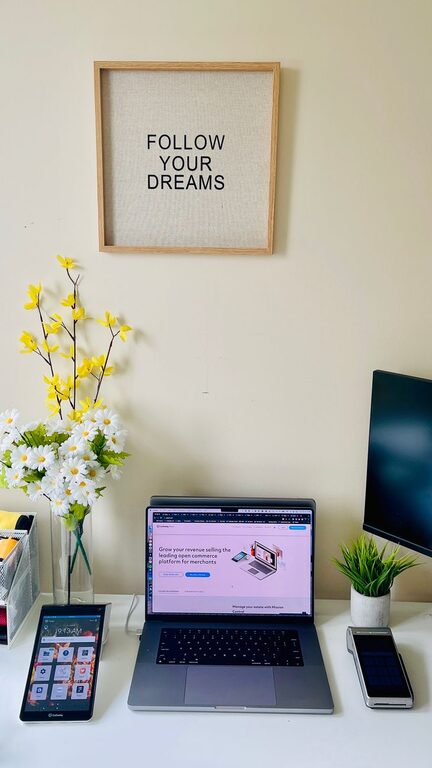
Creating an efficient and comfortable home office is essential for anyone working remotely or managing tasks from home. A well-organized workspace helps reduce distractions, save time, and improve focus. Whether you have a dedicated room or a small corner, these tips will guide you in crafting a home office that supports productivity and comfort.
1. Choose the Right Location
Selecting the best spot for your home office is the first step. Ideally, pick a quiet area with minimal foot traffic and distractions. A room with natural light can enhance mood and energy, but if that’s not possible, ensure you have adequate lighting to avoid eye strain.
2. Invest in Ergonomic Furniture
Comfort plays a big role in productivity. Consider these furniture essentials:
– Ergonomic Chair: Supports your posture and reduces back pain.
– Adjustable Desk: Allows you to alternate between sitting and standing.
– Proper Desk Size: Make sure your desk fits your work items without clutter.
Ergonomic furniture helps maintain comfort during long hours of work, reducing the risk of discomfort and fatigue.
3. Declutter Your Space
A clutter-free space promotes clear thinking. Use the following strategies:
– Keep Only Essentials: Remove unnecessary items from your desk.
– Use Storage Solutions: Bins, shelves, and drawers help keep things organized.
– Digital Declutter: Organize your computer files and email to reduce digital stress.
Spending a few minutes at the end of each day tidying your workspace sets you up for a productive tomorrow.
4. Organize with Purposeful Storage
Efficient storage helps maintain order and easy access to supplies:
– Label Containers: Clear labels make it easy to find what you need.
– Use Vertical Space: Shelves and wall organizers free up desk space.
– Drawer Dividers: Keep small items like pens, paperclips, and cables neatly separated.
Having a designated place for everything saves time searching and keeps your desk clear.
5. Manage Cables and Electronics
Tangled cords and misplaced devices can be distracting:
– Use cable organizers or clips to bundle cords.
– Place frequently used electronics within easy reach.
– Keep chargers and accessories in one spot.
Proper cable management not only tidies your area but also reduces the chance of accidents and device damage.
6. Personalize Your Workspace with Care
Adding personal touches can make your office inviting without causing distractions:
– Plants: Small indoor plants improve air quality and add a natural touch.
– Artwork or Photos: Choose inspiring images that boost motivation.
– Comfort Items: A cozy blanket or a supportive cushion can enhance comfort.
Aim for a balance between personalization and professionalism.
7. Optimize Lighting
Proper lighting reduces eye strain and fatigue:
– Use a combination of ambient and task lighting.
– Position your desk near a window if possible.
– Consider adjustable desk lamps for focused light.
Avoid harsh overhead fluorescents and glare on screens to maintain a comfortable visual environment.
8. Create Zones for Different Tasks
Designate separate areas for specific activities:
– A focused work area with your computer and main tools.
– A creative space for brainstorming, paper documents, or crafts.
– A relaxing corner for breaks to recharge.
Zoning helps your brain switch contexts and maintain focus.
9. Incorporate Productivity Tools
Use tools and accessories that support your workflow:
– Bullet Journals or Planners: Organize tasks and deadlines.
– Whiteboards or Corkboards: Visual reminders and brainstorming.
– Noise-Canceling Headphones: Minimize distractions.
Choose tools that fit your work style and needs.
10. Maintain a Routine and Clean Regularly
Organizing your home office is ongoing:
– Allocate time each week for cleaning and reorganizing.
– Review your setup periodically to adapt to changing demands.
– Keep office supplies stocked to avoid interruptions.
A tidy and comfortable workspace encourages consistent productivity.
—
By thoughtfully designing your home office with these tips, you can create a space that not only maximizes productivity but also supports your well-being. Remember that small changes can lead to big improvements in your daily work experience. Happy organizing!